
Using CRM Data for Google Ads Optimization
April 8, 2026Want better results from Google Ads? Start using your CRM data.
Your CRM is a goldmine of customer insights - purchase history, engagement trends, and lead stages. Integrating this data with Google Ads allows you to:
- Target high-value leads based on real behavior.
- Cut ad spend by avoiding low-intent audiences.
- Improve conversions with value-based bidding and offline tracking.
With cookie-based tracking losing effectiveness, first-party CRM data is now the most reliable way to optimize ads while staying privacy-compliant. This guide explains how to prepare, connect, and use CRM data to transform your campaigns.
How to Use CRM Data to Make Your Google Ads Unstoppable
sbb-itb-cef5bf6
Preparing CRM Data for Google Ads Integration
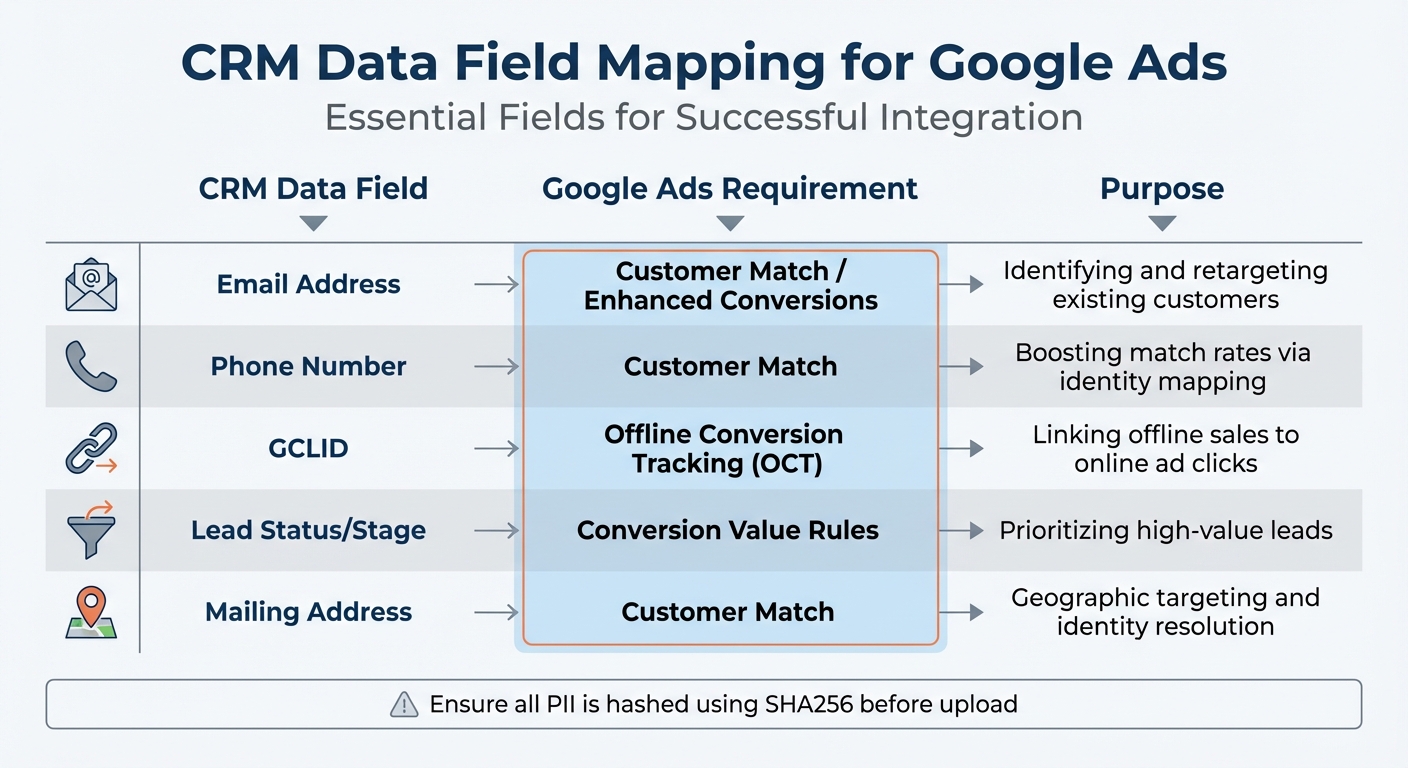
CRM Data Field Mapping for Google Ads Integration
Before integrating your CRM data with Google Ads, take the time to clean and organize it. Raw CRM data often comes with issues like inconsistent formatting, incomplete records, or mismatched fields. Skipping this step can lead to poor match rates, wasted ad spend, and underperforming campaigns.
Start by auditing your CRM for data quality. Make sure every lead includes complete and correctly formatted email addresses, phone numbers, and geographic details. Also, pay attention to formatting differences between your CRM and Google Ads, such as time zones or currency settings, as these can cause reporting errors or delays.
"The most successful campaigns we manage at Local Marketing Group aren't built on better keywords; they are built on better data - specifically, your existing data." - Lisa, Local Marketing Group
Privacy compliance is critical. Before transmitting any Personally Identifiable Information (PII) to Google, you must hash it using the SHA256 algorithm. This ensures data security and aligns with Google's Customer Match data policy. Additionally, confirm that Consent Mode v2 is enabled to meet privacy regulations like GDPR. Once your data is secure and compliant, focus on pinpointing the fields that will optimize your campaigns.
Identifying Useful CRM Data for Campaign Optimization
Not every piece of CRM data is equally useful for Google Ads. Concentrate on fields that either help identify customers or highlight their value. Key identifiers include email addresses (the main matching field), phone numbers, and mailing addresses. These are essential for features like Customer Match and Enhanced Conversions. For tracking offline conversions, ensure your CRM captures the Google Click ID (GCLID) for every lead. This connects offline actions back to specific ad clicks.
Behavioral data, such as purchase history, lead status, and engagement patterns, can help you segment audiences more effectively. For B2B campaigns, firmographic details like job titles, industries, and company sizes are vital for precise targeting. By distinguishing high-value signals from low-intent ones, you can allocate your budget more effectively.
Assign monetary values to different lead stages in your CRM. For example, a "Quote Request" should have a higher value than a "Newsletter Signup" because it reflects stronger purchase intent. This data helps Google's algorithms optimize for revenue rather than just lead volume, ensuring your ad spend focuses on actions that deliver real returns.
Mapping CRM Data Fields to Google Ads Requirements
After identifying the most important data, map your CRM fields to Google's requirements. Proper mapping ensures your data integrates smoothly with Google Ads features like Customer Match, Enhanced Conversions, and Offline Conversion Tracking.
| CRM Data Field | Google Ads Requirement | Purpose |
|---|---|---|
| Email Address | Customer Match / Enhanced Conversions | Identifying and retargeting existing customers |
| Phone Number | Customer Match | Boosting match rates via identity mapping |
| GCLID | Offline Conversion Tracking (OCT) | Linking offline sales to online ad clicks |
| Lead Status/Stage | Conversion Value Rules | Prioritizing high-value leads |
| Mailing Address | Customer Match | Geographic targeting and identity resolution |
Make sure your website forms are set up to capture GCLIDs in hidden fields so the ID automatically transfers to your CRM with each form submission. Enable auto-tagging in Google Ads to append GCLIDs to your URLs without extra manual steps. For B2B campaigns, map company-related fields like industry and company name to refine audience targeting.
Standardize your data formats before syncing. If your CRM and Google Ads account use different time zones or currency formats, you could end up with delayed or inaccurate conversion data. Use automated, real-time data syncs through tools like Zapier or direct integrations to avoid the errors and delays that come with manual CSV uploads. While 98% of digital marketers globally use Google Ads, those who prepare and map their CRM data effectively gain a clear edge by leveraging first-party insights. This careful preparation lays the groundwork for seamless integration and more advanced campaign strategies.
Connecting CRM Data with Google Ads
Once your CRM data is cleaned and organized, the next step is linking it with Google Ads. This integration unlocks tools like offline conversion tracking, Customer Match, and value-based bidding. These features help transform your first-party data into a powerful advantage. Here's how to connect your CRM and make the most of its insights in Google Ads.
Setting Up the CRM and Google Ads Connection
Start by heading to Tools > Data Manager in Google Ads. For platforms like Zoho, HubSpot, or Salesforce, you can directly connect by entering your CRM admin credentials. If you're working with other CRMs, a third-party tool like Zapier can serve as a bridge.
Make sure auto-tagging is turned on so the GCLID (Google Click Identifier) is added to your ad URLs. This step is crucial for linking CRM events to specific ad clicks. If you're using a system like Zoho, enable history tracking in the Module Customization settings to keep tabs on changes in lead or deal stages. Next, map your CRM fields to their corresponding Google Ads fields. Use hidden form fields or Google Tag Manager to store the GCLID with each form submission, ensuring it remains consistent across user actions.
Uploading Offline Conversions from CRM
Offline conversion tracking links events recorded in your CRM - like sales calls, meetings, or closed deals - with the original ad clicks. This connection gives Google's Smart Bidding system the data it needs to focus on what drives revenue, not just form submissions. Studies show that B2B accounts using offline conversions achieve a 23% lower cost per qualified lead.
To set up offline conversions, go to Goals > Summary > + Create conversion action > Import in Google Ads. You'll need to upload data including:
- The GCLID
- Conversion Name (must match the action defined in Google Ads)
- Conversion Time (including timezone offset)
- Optionally, Conversion Value and Currency
Conversions usually appear in reports within 24-48 hours. For real-time updates, use API-based imports or Zapier. If you're using Zapier, add a 24-hour delay to ensure alignment with Google's attribution window.
For more reliable tracking, implement Enhanced Conversions for Leads. This method uses hashed first-party data, like email addresses or phone numbers, alongside or instead of GCLIDs. Enhanced Conversions are particularly effective across devices and can compensate for tracking issues caused by redirects or blockers. Advertisers combining first-party data with GCLIDs have seen a median 10% boost in conversions. Make sure all personally identifiable information is hashed using the SHA-256 algorithm before sharing.
Track various CRM stages - like MQL, SQL, and Closed Won - but mark only the most critical outcome as a primary conversion. To avoid duplicate counts, use the "Transaction ID" field during imports.
"The advertisers who consistently outperform their competition are those who connect their CRM data back to Google Ads, enabling Smart Bidding to optimize for outcomes that matter to the business."
Once your conversion tracking is in place, shift your focus to building tailored audiences using Customer Match.
Creating Customer Match Lists for Targeted Campaigns
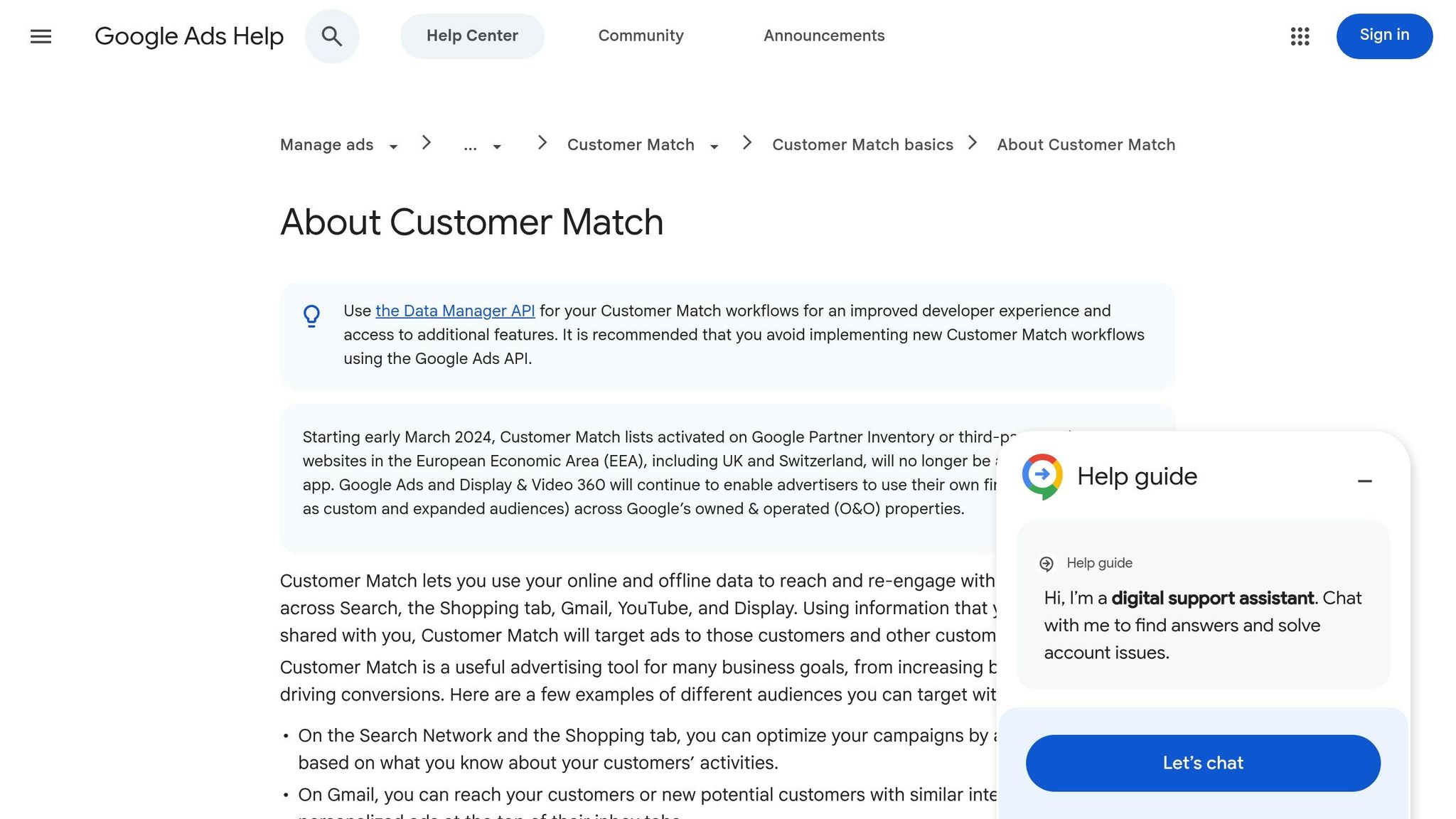
Customer Match lets you upload customer contact lists - like emails, phone numbers, or mailing addresses - to create highly targeted audiences. This is perfect for remarketing to existing customers, upselling valuable segments, or excluding recent buyers from acquisition campaigns to improve efficiency.
To create a Customer Match list, go to Tools > Audience Manager > + Customer list in Google Ads. Prepare a list from your CRM that includes at least one identifier, such as an email address (the primary matching field), phone number, first name, last name, country, or zip code.
Segment your Customer Match lists based on CRM data, such as purchase history, lead status, or lifecycle stage. For example, you could create lists for customers who purchased in the last 30 days, leads with high lifetime value, or prospects at specific stages. This segmentation allows you to customize ad messaging and bidding strategies for each audience.
"By syncing your CRM data, you can create remarketing campaigns that target users who have already interacted with your brand. This could include abandoned cart reminders, cross-sell or upsell opportunities, or personalized messaging for loyal customers."
- Nora Sbalckiero, CompanionLink
For B2B campaigns, enhance your Customer Match lists with firmographic data, like job titles, industries, or company sizes. Partners like LiveRamp or Acxiom can help create these segments, though you'll need approval from a Google representative. Use these lists for remarketing, building lookalike audiences to find similar prospects, or excluding current customers to reduce wasted spend.
Using CRM Data to Improve Campaign Performance
Integrating CRM data into your campaigns takes them from broad and generic to precise and revenue-focused. By tapping into first-party data, you can make smarter decisions about targeting and bidding, ultimately boosting profitability.
Segmenting Audiences with CRM Data
Using CRM data for audience segmentation allows you to target with precision, ensuring every dollar of ad spend works harder. For instance, you can identify your top 10% of spenders and allocate more budget toward finding similar prospects. Or, target customers who bought something in the last 90 days but haven’t returned, offering them complementary products or upgrades.
Exclusion lists are another game-changer. By removing recent buyers or low-value leads, you avoid wasting ad spend on audiences unlikely to convert. For B2B campaigns, segmentation can go even deeper - think firmographics like company size, industry, or even engagement triggers such as visits to your pricing page. Tailor your messaging further by considering lead status, such as Marketing Qualified Leads or lost opportunities.
"The most successful campaigns we manage... aren't built on better keywords; they are built on better data - specifically, the data you already own."
- Lisa, Local Marketing Group
If you're using Google’s Customer Match, note that your lists must have at least 5,000 members to meet the platform’s minimum threshold, and memberships can last up to 540 days. To keep these lists updated without the hassle of manual uploads, automation tools like Zapier, HubSpot, or Salesforce can sync your data seamlessly.
Once you’ve nailed segmentation, the next step is adjusting your bids to focus on customer value.
Adjusting Bids Based on Customer Value
Traditional bidding often prioritizes conversion volume, but value-based bidding shifts the focus to customers who generate the most revenue. This means switching to strategies like Maximize Conversion Value or Target ROAS (tROAS) instead of Target CPA (tCPA).
To get started, assign monetary values to different customer actions tracked in your CRM. For example, you might value a pricing page view at $30, a lead form submission at $50, and a closed deal at $500. This helps the algorithm learn which actions are most likely to lead to high-value outcomes. Marketers who’ve moved from tCPA to tROAS have reported a 14% boost in conversion value.
Here’s a simple formula to calculate your bid:
Average Order Value × Profit Margin % × Conversion Rate from lead to sale.
If you’re new to value-based bidding, start conservatively by setting your target ROAS slightly below your historical average. This gives the algorithm room to adjust. Allow at least two weeks or three conversion cycles for the learning phase before making major changes.
"By feeding your CRM data back into Google, you move beyond simple tracking and start teaching the algorithm who your most profitable customers are."
- Lisa, Local Marketing Group
For even better results, integrate offline conversion data so Google can optimize for actual revenue, not just clicks. Use Customer Match lists to create Similar Segments (lookalikes) and let Google find new users who share traits with your best customers.
Once you’ve refined your audiences and bidding strategies, it’s time to measure how these changes impact performance.
Comparing Performance Before and After CRM Integration
Incorporating CRM data shifts your campaign’s focus from sheer volume to quality and revenue. The table below highlights the key differences:
| Metric Category | Before CRM Integration | After CRM Integration |
|---|---|---|
| Primary Goal | Traffic and Lead Volume | Lead Quality and Revenue Growth |
| Conversion Tracking | Online form fills/clicks only | Full funnel (Online & Offline sales) |
| Bidding Strategy | Manual or Max Clicks | Value-based (Target ROAS, CLV) |
| Audience Data | Pixel-based (Cookies) | First-party data (Customer Match) |
| Success Indicator | Click-Through Rate (CTR) | Return on Ad Spend (ROAS) |
CRM integration also improves attribution by linking offline sales - like phone calls or in-store purchases - to specific ad clicks. Automated data syncing ensures that your bidding strategies stay aligned with current customer behavior. Dive deeper into performance by analyzing metrics like device, location, and time of day to spot areas needing improvement.
"Success in Google Ads requires looking past vanity metrics like clicks and impressions. Focus on metrics tied to business goals, such as Conversion Rate and ROAS."
Keep an eye on metrics like Cost Per Acquisition (CPA) and ROAS to measure the impact of CRM integration. A ROAS of 4:1, for example, means every $1 spent on ads generates $4 in revenue.
Tracking and Improving Campaign Results
Using CRM data isn't just about better targeting - it’s also a way to continuously fine-tune your campaigns. Once CRM data is integrated, the next step is to monitor performance and make adjustments based on insights from the data. This section dives into how to measure campaign success and improve results.
Measuring ROAS and Conversion Metrics
To calculate ROAS (Return on Ad Spend) accurately, you need to connect each ad click's GCLID (Google Click Identifier) to the revenue it generates in your CRM. This approach is more precise than relying on platform-modeled conversions. ROAS evaluates ad efficiency (Revenue ÷ Ad Cost), while ROI (Return on Investment) takes a broader view by factoring in other costs like shipping and overhead. These metrics are essential for refining audience targeting and value-based bidding strategies.
Here’s a quick way to calculate your break-even ROAS: use the formula 1 ÷ Profit Margin. For instance, a 25% profit margin means you’d need a 4.0 ROAS just to break even. For reference, average ROAS benchmarks vary by platform: Google Ads averages 13.76, Facebook Ads 10.68, and Amazon Ads 7.95.
For businesses with longer sales cycles, like B2B or high-ticket items, you can assign "expected values" to intermediate CRM stages (e.g., SQLs - Sales Qualified Leads) to better optimize campaigns. Set CRM-based outcomes, such as SQLs or Closed Won deals, as "Primary" conversions for bidding. Meanwhile, keep top-of-funnel actions, like form submissions, as "Secondary" conversions for reporting purposes only.
Beyond ROAS, it’s important to track lead quality and disposition. This means analyzing the ratio of qualified to disqualified leads using frameworks like BANT (Budget, Authority, Need, Timeline). Additionally, monitor pipeline generation - the total value of opportunities created by specific campaigns - to gauge their future revenue potential. Implementing server-side tracking for GCLIDs can improve data accuracy by up to 41%, which is critical as third-party cookies are phased out.
| Metric | Focus | Best For |
|---|---|---|
| ROAS | Campaign Efficiency | Evaluating channel and keyword performance |
| ROI | Business Profitability | Measuring the overall health of marketing efforts |
| CPA | Acquisition Cost | Optimizing lead generation with fixed conversion values |
| CLV | Long-Term Value | Tracking value for subscription models or repeat purchases |
Maintaining Regular Data Syncs and Analysis
Once you’ve analyzed ROI and conversion data, maintaining regular data synchronization is critical to sustaining improvements. Automated synchronization is key - manual exports can lead to data gaps and delays, which hurt campaign optimization. Use API or webhook integrations between your CRM and Google Ads to enable near real-time data flow. This ensures timely bid adjustments and effective remarketing.
"The integration between your CRM and Google Ads is not a one-time event. On the contrary, it's an ongoing process that requires consistent monitoring and optimization."
- Nora Sbalckiero
Make sure auto-tagging is enabled to track GCLIDs accurately. Configure website forms to capture GCLIDs in hidden fields, then pass them to your CRM. This eliminates the need for manual offline conversion tracking. Regularly audit UTM parameters and GCLID tracking to avoid "dark funnel" issues where conversions go unattributed.
Pay attention to formatting differences, such as time zones or currencies, between your CRM and Google Ads. These discrepancies can cause sync delays or reporting errors. Set up automated checks to catch these problems early. As your customer database grows, frequent synchronization ensures that audience segments and Customer Match lists remain up-to-date.
"Delays in data synchronization can impact real-time decision-making. To avoid this, regularly check data formats (like time zones or currency differences) between your CRM and Google Ads."
- Shalini Vijayakumar
Lastly, align lead definitions between marketing and sales teams. Agreeing on what qualifies as a "lead" ensures that the data fed back into Google Ads reflects actual sales outcomes, not just marketing activity. This feedback loop helps algorithms focus on high-quality leads instead of just increasing volume.
Conclusion
Bringing CRM data into your Google Ads strategy changes the game for paid advertising. By tapping into real customer behavior, you can create precise audience segments, make smarter bidding decisions, and craft ad messages that resonate on a personal level.
"Leveraging CRM data transforms PPC campaigns from broad strokes into finely tuned efforts that speak directly to the audience's motivations."
- Search Engine Land
The financial upside is hard to ignore. With GCLID tracking, you can directly link ad clicks to revenue, offering clear attribution that sharpens your focus on ROAS and overall revenue growth.
Consistent data management plays a key role here. From preparing your data to syncing it seamlessly, this process equips your campaigns with insights that drive results. Keeping your CRM data up-to-date ensures Google's AI works toward outcomes that truly matter. By sticking to these integration steps, your campaigns stay agile and ready to adapt to shifting market trends.
FAQs
What CRM fields should I prioritize for Google Ads?
To get better results from your Google Ads campaigns, it's important to focus on key CRM fields like customer contact details, purchase history, and engagement data. These fields allow you to fine-tune your targeting and deliver more personalized ads that resonate with your audience. By leveraging this information, you can create campaigns that feel tailored to individual preferences and behaviors, ultimately driving stronger outcomes.
How do I capture and store GCLID in my CRM?
To make sure you’re capturing and storing the GCLID (Google Click ID) in your CRM, start by enabling auto-tagging in your Google Ads account. This feature automatically adds the GCLID to your ad URLs. Next, create a specific field in your CRM to store this data.
You’ll also need to implement code that extracts the GCLID from the URL parameters when users interact with your site. During form submissions, the code should save the GCLID into the corresponding CRM field. Finally, make it a habit to upload this data back to Google Ads regularly. Doing so helps refine attribution and improves the accuracy of your bidding strategies.
When should I switch to Target ROAS using CRM values?
When your CRM data is fully integrated and dependable, and your campaign has collected sufficient conversion and revenue data, it’s time to consider switching to Target ROAS. This strategy works best when your primary goal is to maximize return on ad spend (ROAS) and focus on optimizing for revenue or conversion value. Make sure your campaigns have reached a level of maturity that allows for accurate, data-driven predictions to fine-tune your bid adjustments effectively.